Every year, laptop shopping gets a little more complicated. Prices keep climbing, chip options keep multiplying, and picking the right machine increasingly means weighing small annoyances against big-ticket specs rather than just comparing numbers on a page. HP’s new flagship, the OmniBook Ultra, is a good example of exactly that trade-off: on paper, and in daily use, it’s one of the most capable Windows laptops available right now — but a handful of nagging details keep it from being an unqualified recommendation.
The Hardware Delivers
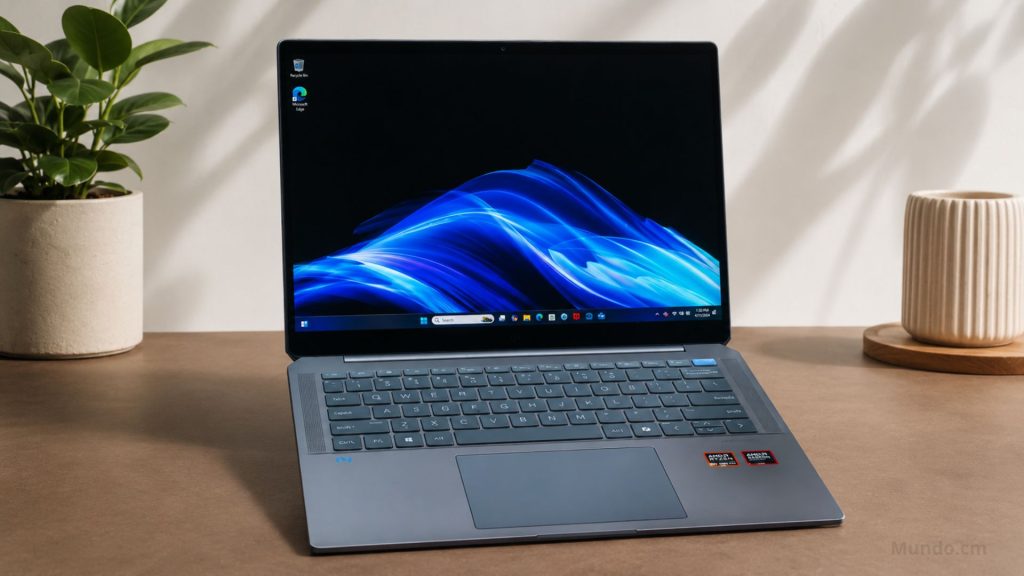
Start with what HP got right, because there’s a lot of it. The OmniBook Ultra ships in an all-aluminum chassis that feels closer to industrial-grade hardware than a typical consumer laptop, and it’s remarkably thin and light without feeling flimsy — the kind of build quality that makes it comfortable to carry around a convention floor for a week, which is exactly what it was tested on at Computex 2026 in Taipei.
The 14-inch OLED display is the standout feature. Depending on configuration, buyers get a sharp 2880×1800 resolution panel with a 120Hz refresh rate, deep blacks, full DCI-P3 color coverage, and brightness that peaks around 500 nits for standard content — numbers that hold up well against pricier rivals. Under the hood, the top-tier configuration runs Intel’s Core Ultra X9 388H, the company’s most powerful mobile chip to date, paired with a 12-core Intel Arc integrated GPU capable of handling surprisingly demanding workloads, gaming included, without a dedicated graphics card. Battery life and charging speed also come in strong across multiple configurations, and HP’s security features — including a hardware-level self-healing BIOS and a fingerprint reader built into the power button — round out a genuinely premium package.
Pricing is where the OmniBook Ultra starts to look like a smart buy rather than just an impressive one. A fully loaded review unit with the Core Ultra X9 chip and 2TB of storage runs $2,400, which sounds steep until it’s compared to a similarly configured Dell XPS 14 with the same processor, which costs $3,000. At the low end, the OmniBook Ultra starts around $1,200 with a less powerful chip, giving HP a real pricing advantage across the lineup — assuming shoppers are willing to look past a few rough edges.
Where the Small Things Add Up
That’s where the complaints start. The keyboard is comfortable enough for long typing sessions, but it leans soft and mushy in a way that feels more like a MacBook’s shallow travel than the crisp, clicky feedback many Windows users expect at this price tier. The trackpad, a large haptic glass surface that simulates clicks through vibration rather than physical movement, works well most of the time but isn’t universally loved either — some reviewers have praised its consistent feel, while others have found it merely adequate next to the best in its class.
Port selection is another sticking point. The OmniBook Ultra keeps things minimal with three Thunderbolt 4 USB-C ports and a single headphone jack — fine for anyone who’s already leaned into a dongle-heavy, all-USB-C lifestyle, but a step behind rivals that still offer USB-A or a memory card slot for people who need it.
The biggest recurring complaint, though, has nothing to do with the hardware at all: bloatware. Between HP’s own preloaded software, a bundled McAfee subscription, and Microsoft’s own additions, the out-of-box experience is cluttered with prompts, trial software, and unnecessary apps — including, notably, a printer management app on a laptop that has nothing to do with printing. It’s the kind of software clutter that used to be reserved for budget laptops costing a fraction of the price, and its presence here feels especially out of place on a machine positioned as HP’s premium flagship.
The Verdict
None of these issues are dealbreakers on their own, and taken individually, most buyers could look past a mushy keyboard or a middling trackpad. But stacked together — soft keys, a merely decent trackpad, limited ports, and a genuinely frustrating amount of preloaded software — they add up to exactly the kind of experience that shouldn’t exist on a laptop priced at or above the $2,000 mark. HP has clearly built excellent hardware here; it just hasn’t matched that hardware with an equally premium out-of-box experience.
For anyone comparing it directly against the Dell XPS 14, the HP OmniBook Ultra is still the better overall value at the top end of its configuration range, thanks largely to that display and top-tier chip. But buyers who care about a flawless typing experience, a wider range of ports, or simply not spending their first hour with a new laptop uninstalling unwanted software may want to weigh those trade-offs carefully before deciding this is the one to buy.