Samsung Galaxy SmartTag3 is now available in the United States, following a November 6 announcement. Samsung lists a price of $29.99 for one tag and $99.99 for a four-pack. The company highlights a thinner design, cross-OS support and finding features supported by its Galaxy Find Network.
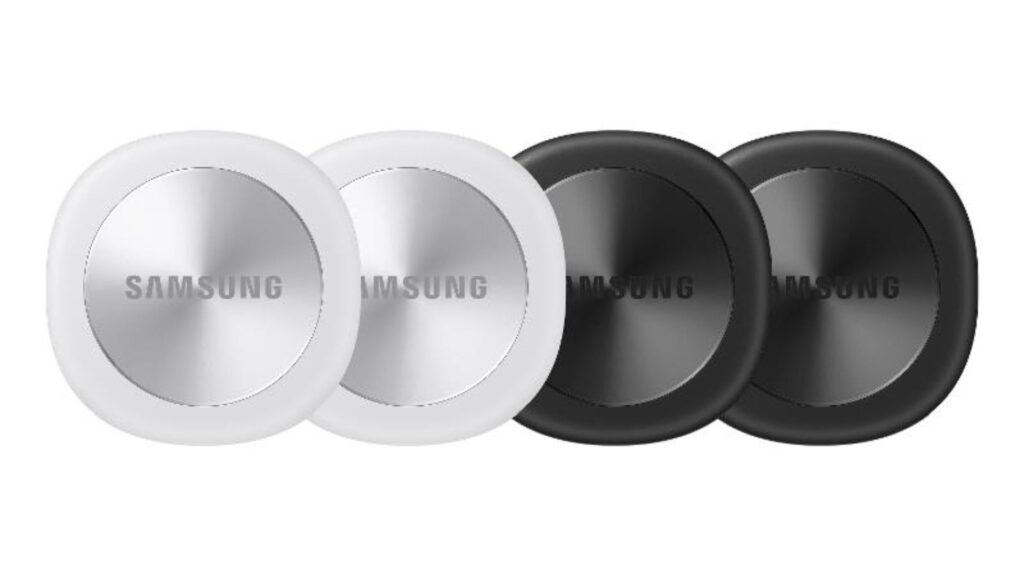
The product addresses a modest but recurring problem: keeping track of the objects that move through daily life.
Keys change pockets, bags are placed in unfamiliar rooms and luggage passes through several hands during a trip. A useful tracker does not need to make those experiences dramatic. Its value lies in reducing the effort required to understand what happened and where to look next.
That makes clarity, compatibility and realistic expectations central to assessing SmartTag3.
Directional guidance adds another kind of information
Samsung says Compass View can provide distance and directional guidance from up to 60 meters away under supported conditions. It also describes Place Notification, Location History and Movement Detection Alert features.
These capabilities answer related but different questions. A location record can indicate where an object was detected. Directional guidance can help with the final search nearby. An alert can draw attention to a change.
For a buyer, it is useful to identify which of those situations occurs most often. Someone misplacing keys inside a home has different needs from someone tracking a suitcase during travel.
Choosing a tracker becomes easier when the intended problem is specific.
The best first test is deliberately ordinary
A practical evaluation could begin with a harmless household exercise. The owner could attach the tag to a familiar object and ask another person to place it somewhere reasonable within the home.
The test would reveal whether the app’s instructions are understandable and whether the user can move from the initial information to the object itself.
It would also show how the experience behaves around walls, furniture and separate rooms. Those observations are more useful than assuming an advertised maximum range will describe every building.
This is a suggested evaluation method, not an independent test result for SmartTag3. Its purpose is to connect the feature list to the conditions in which the owner expects to use it.
Notifications need a clear purpose
An alert is valuable when it gives the user information that supports an action. Too many poorly understood notifications can become easy to ignore.
Before enabling a place-based alert, an owner could decide what event should matter. Is the objective to notice when a bag leaves a workplace? Is the owner trying to remember an item before departing from home?
The chosen area and expected behavior should match that purpose. After setup, a simple trial could establish whether the notification arrives in a useful way.
The important outcome is confidence in what the alert means. A feature becomes easier to trust when the user understands both its normal behavior and its limitations.
Network-based updates require careful interpretation
Samsung’s notes explain that some notifications depend on nearby participating Galaxy devices. Updates may be delayed or unavailable depending on the surroundings and network participation.
That makes the time attached to a location important.
A displayed point should be interpreted alongside its update information. An older detection can still be helpful, but it answers a different question from a current observation.
A useful interface should make that distinction easy to see. Owners should also learn how to identify the most recent update before they need the feature under pressure.
Understanding the record is part of using the product effectively, just as attaching the tag securely is part of preparing the object.
Travel is a useful example, with practical boundaries
A suitcase is a natural candidate for an item tracker because it moves between several locations during a trip.
Before traveling, an owner could confirm that the tag appears correctly in the app, give it a recognizable name and place it where it is unlikely to become detached.
During the journey, location information could provide additional context. It should be read together with the airline’s own baggage information and the timing of the latest detection.
The tracker’s role is to help organize a search or explain a last-known location. It does not remove the need to label luggage clearly, retain relevant travel records or follow the carrier’s process if a bag is missing.
Compatibility should be checked before buying several tags
Cross-platform language can sound comprehensive while individual features still have specific requirements.
A buyer should confirm the setup process and supported capabilities for the exact phone they use. This is especially relevant when a household includes different devices or when several people expect to help locate an item.
A useful pre-purchase checklist would identify who will manage the tag, which application is required and what sharing options are available.
Testing one tag before committing to a larger pack could establish whether the experience fits those needs. The lower per-unit price of a bundle is useful only when the tags support the intended routine.
A tracker works best with a small amount of organization
Giving every tag a clear name makes the system easier to manage. “Work keys” provides more immediate meaning than an automatically generated label.
Owners could also record where a tag is attached and check it occasionally as part of normal household organization. That reduces confusion when an object changes bags or is lent to someone else.
The goal is a system that remains understandable without constant attention. A tracker should reduce mental effort rather than create another collection of settings that nobody remembers.
The most successful setup will probably be simple: a few important objects, clear names and notifications chosen for a concrete reason.
Why This Matters
SmartTag3’s arrival adds new finding options to a familiar category of everyday technology.
Its value will depend on more than advertised range. Clear location information, dependable setup and an understandable relationship between alerts and actual events are central to the experience.
For buyers, the most useful approach is to begin with one recurring problem and test the product against it. If it makes that problem easier to solve, the technology has delivered a practical benefit that can matter repeatedly throughout the year.