Apple has introduced MacBook Pro with PROLED XDR Display, bringing tandem OLED technology and touchscreen interaction to its professional laptop lineup. Announced on October 28, the new models are available to preorder, with availability beginning November 6. Apple is offering 14-inch and 16-inch versions powered by M5 Pro and M5 Max.
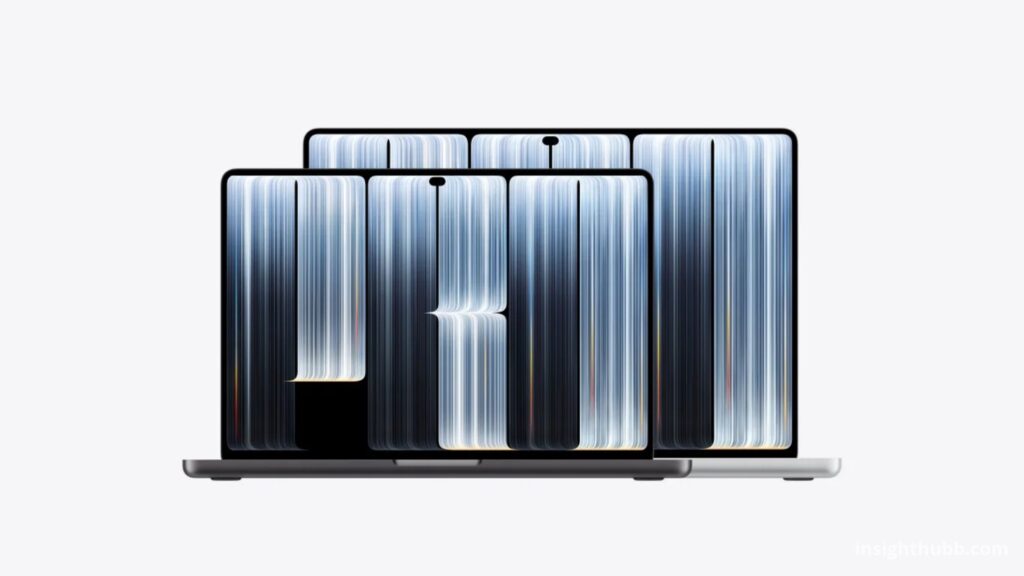
The announcement changes two parts of the laptop experience at once: what users see and how they interact with it.
For creative professionals, those changes deserve attention beyond the usual processor comparison. A display influences decisions about photographs, illustrations and video. Input methods influence how quickly someone can make those decisions and put them into practice.
The most useful question is therefore how the new hardware fits an actual working day. A compelling specification becomes valuable when it improves a task that someone performs regularly.
What Apple has announced about the display
Apple lists up to 2,000 nits peak HDR and SDR brightness, a 120Hz variable refresh rate and support for P3 and Adobe RGB. The company also describes a 10,000,000:1 contrast ratio. These are manufacturer specifications rather than independent measurements.
Those figures provide a starting point for evaluation, but a professional display needs to be assessed as a complete system.
For a photographer, the relevant test might involve a familiar set of portraits, landscapes and difficult lighting conditions. A designer could examine gradients, typography and images prepared for different destinations. A video editor would have another set of requirements.
Each person needs to establish whether the screen helps them make dependable decisions. A vivid demonstration image is less informative than work whose strengths and weaknesses the user already understands.
Touch introduces a new interaction choice
Apple says the touchscreen supports actions such as scrolling, zooming and manipulating content, while keyboard shortcuts and trackpad gestures remain available. The announcement also describes a redesigned hinge intended to provide stability during touch interaction.
Our assessment is that the value of touch will depend on the task rather than on how frequently someone uses it.
A brief interaction could be useful when reviewing a photograph with a client or moving through a presentation. A longer editing session might still favor the input method the user knows best.
The important consideration is whether switching between methods feels natural. Reaching for the screen should solve a problem quickly enough to justify the movement.
That makes a real demonstration more useful than deciding in advance that every task should become touch-based.
Creative workflows provide the clearest test
Consider a hypothetical designer preparing a campaign with a poster, several social graphics and a presentation.
The designer could use a demonstration machine to inspect a familiar project, change the view, select objects and make a few common adjustments. The exercise would reveal whether touch complements existing habits or interrupts them.
The same approach would work for a photographer. Opening known images and moving through a typical review process would provide a grounded comparison with the current laptop.
A musician or 3D artist could take a different route, choosing interactions that involve direct manipulation.
These examples are possible evaluation methods, not claims about measured productivity gains. The best result would be a clear understanding of where the new input method helps.
A laptop display also works away from the desk
Portability makes display evaluation more complicated because the working environment can change.
A laptop may be used beside a window, in a meeting room or at a temporary desk. Prospective buyers should consider those conditions when examining visibility and reflections.
A useful demonstration would include ordinary documents alongside creative work. Reading a long article, reviewing a spreadsheet and checking a presentation can reveal whether the screen remains comfortable across the day.
Viewing position matters too. A display that looks impressive from one carefully arranged angle still needs to suit the way its owner normally sits.
This is particularly relevant for people who move between desk work and collaborative reviews.
Performance should be judged with representative projects
Apple also advertises configurations reaching 128GB of unified memory and 16TB of storage, alongside battery life of up to 24 hours. These are maximum configuration and battery claims, with results dependent on the model and workload. Apple
For a buyer, selecting a configuration should begin with current work.
What tasks cause delays? Which projects are difficult to manage? Is the limiting factor processing time, available memory, storage capacity or something else?
Answering those questions creates a more useful purchase brief than selecting the highest available specification.
For example, someone whose work is already responsive may place greater value on the display or portability. Another person could prioritize a demanding task that repeatedly interrupts production.
A representative project offers a better benchmark than an unfamiliar demonstration designed to impress.
App behavior will shape the experience
A new interaction method is most useful when the tools around it respond predictably.
Before purchasing, professionals should check the current status of the applications, plugins and peripherals they depend on. A demonstration should include the commands and panels used most frequently.
It would also be useful to examine selection precision. Does the interface make the intended target easy to choose? Can a mistaken action be reversed quickly? Does the user understand which gesture will produce which result?
These questions apply even when the basic interaction works. Professional comfort often depends on consistency across hundreds of small actions.
A feature can be appealing in isolation while requiring a different assessment inside a busy project.
Who should consider the upgrade?
The strongest case belongs to someone who can identify a concrete improvement.
That might be a more useful display for mobile creative work, a preferred interaction for a particular application or a configuration suited to heavier projects.
Owners satisfied with their current setup should compare those benefits against the effort of changing machines. Moving files, checking accessories and confirming software compatibility all form part of the transition.
A practical decision would weigh the complete working environment, including any external monitor and input devices already in use.
The goal should be a better workflow whose advantages remain apparent after the excitement of the announcement.
Why This Matters
MacBook Pro with PROLED XDR Display introduces a substantial change to Apple’s professional laptop experience. OLED and touch make the screen a more central part of the product’s proposition.
The announcement establishes the hardware direction and release timing. Independent display measurements, application testing and extended use will provide the next layer of evidence.
For prospective buyers, the most informative next step is to try familiar work on the new machine. That will show whether the redesign offers a practical improvement worth making part of an everyday professional setup.